Create or manage Teams
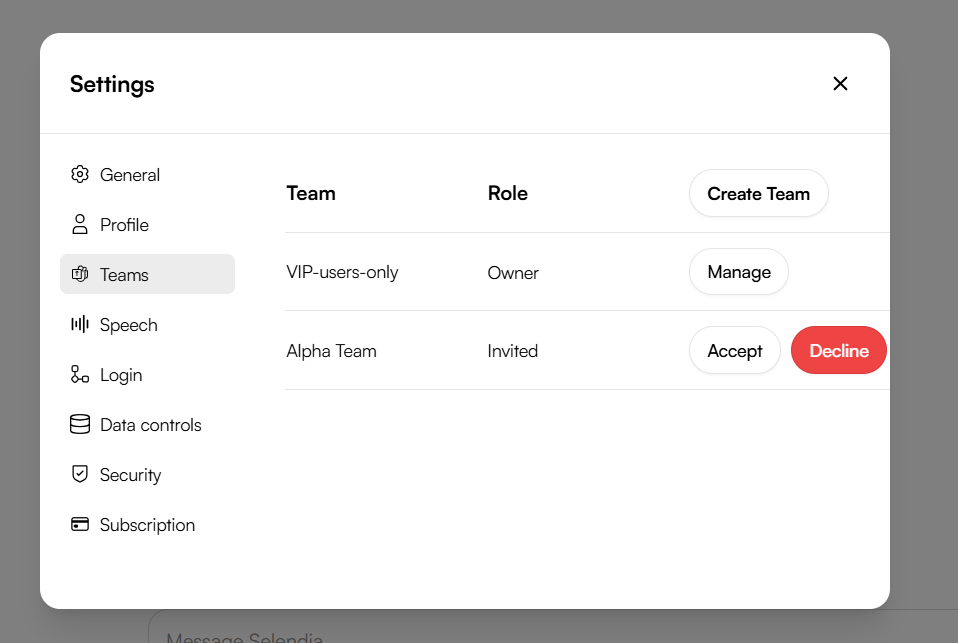
Head to Settings › Teams to:
Create a new Team for a department, freelance crew, or client.
Add/remove members and set roles (Owner, Editor, Viewer).
1 · Spin up a Project
Click ➕ New Project in your sidebar.
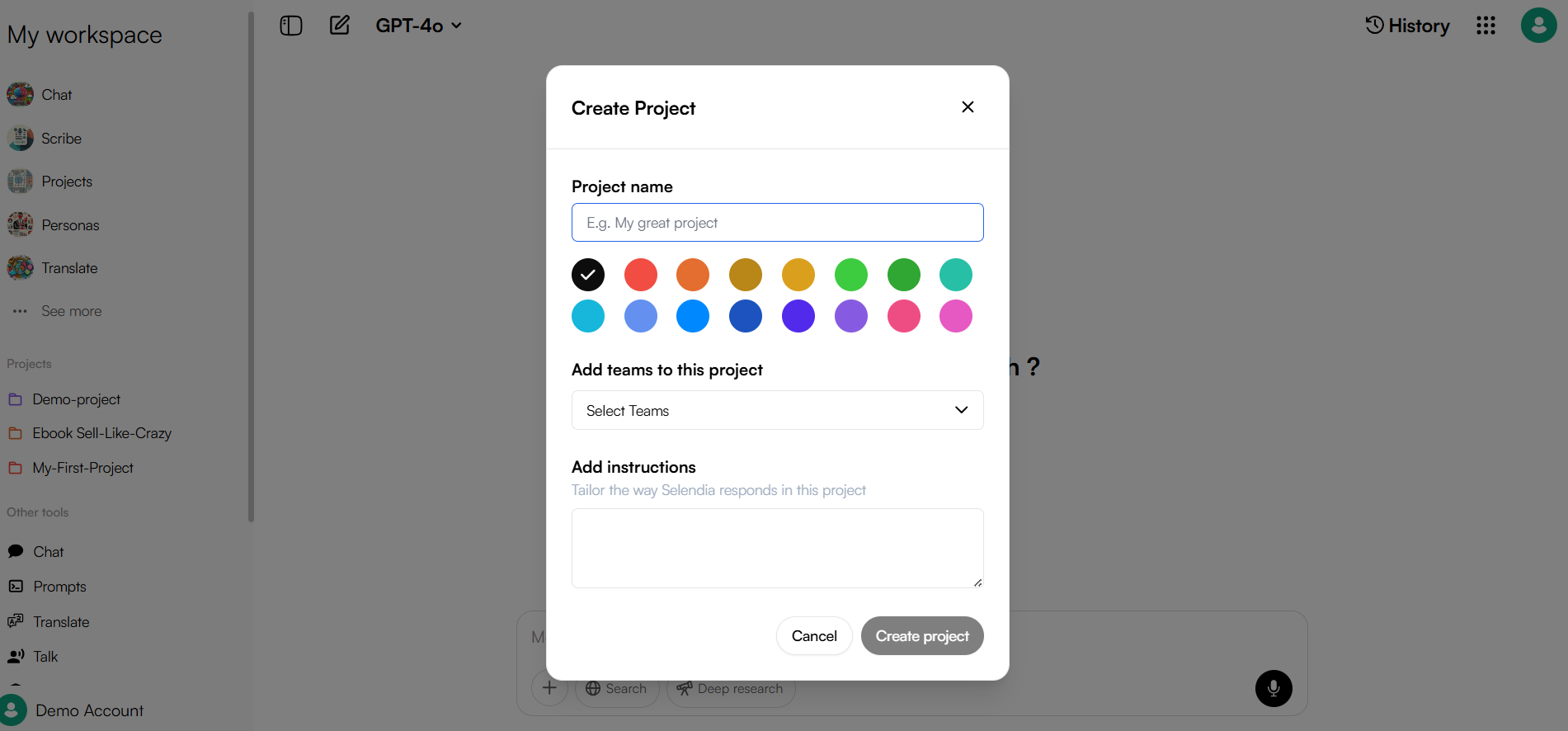
- Name it, pick a color, and set visibility for any team.
|Tip: Think of a project as a folder. Inside you can mix any media and AI tools without cluttering the rest of your workspace.
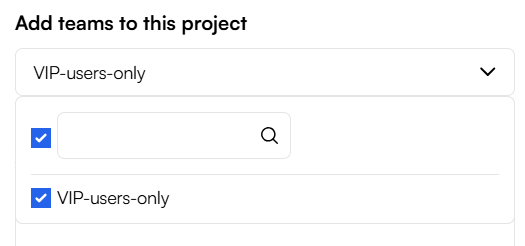
3 · Choose the Team that owns it
After creating the project, select the Team you want to collaborate with. Everyone in that Team gets instant access—no extra invites needed.
What can you build inside a Project?
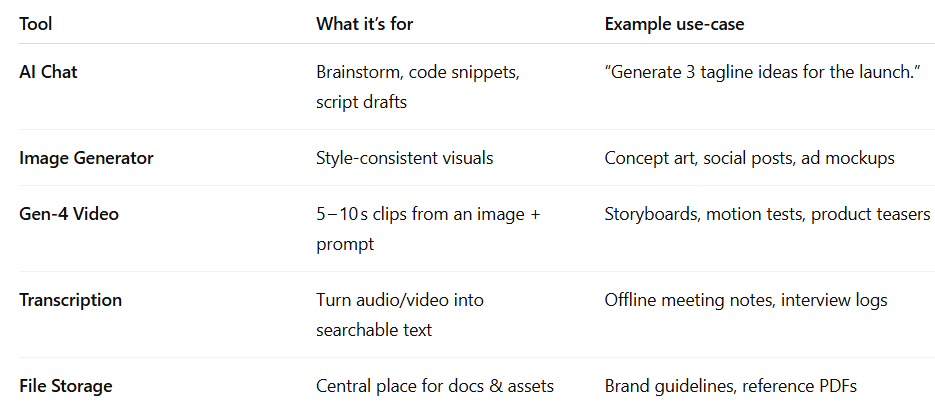
Everything you add lives neatly in the left‑hand project sidebar, so you can jump between chat threads, assets, and tasks without tab overload.
Workflow Pro‑Tips
One project = one goal. Keep campaign A/B tests in separate projects to avoid version chaos.
Pin key items. Star any chat, asset, or transcript so it’s always at the top of the list.
Switch Teams on the fly. Need outside feedback? Move the project to a Client Team in two clicks.
Ready to tidy up your workspace?
Create your first Team in Settings › Teams, start a new Project, and invite the crew. We can’t wait to see what you build together!
